Now in TestFlight

Your training plan,
finally readable.

Stop scrolling through Excel before every run. Import your spreadsheet into Narun and it tells you exactly what you're running today, tomorrow, and the rest of the week - at a glance, on your lock screen.

iOS only · Free during beta · Built solo by a runner

No more spreadsheets at 6am.

Most plans live in Excel. Most runs start with squinting at a phone screen. Narun reads your plan once and turns it into a daily companion you actually want to open.

What it does

One screen for today. One for the rest.

01 / IMPORT

Import your
plan. That's it.

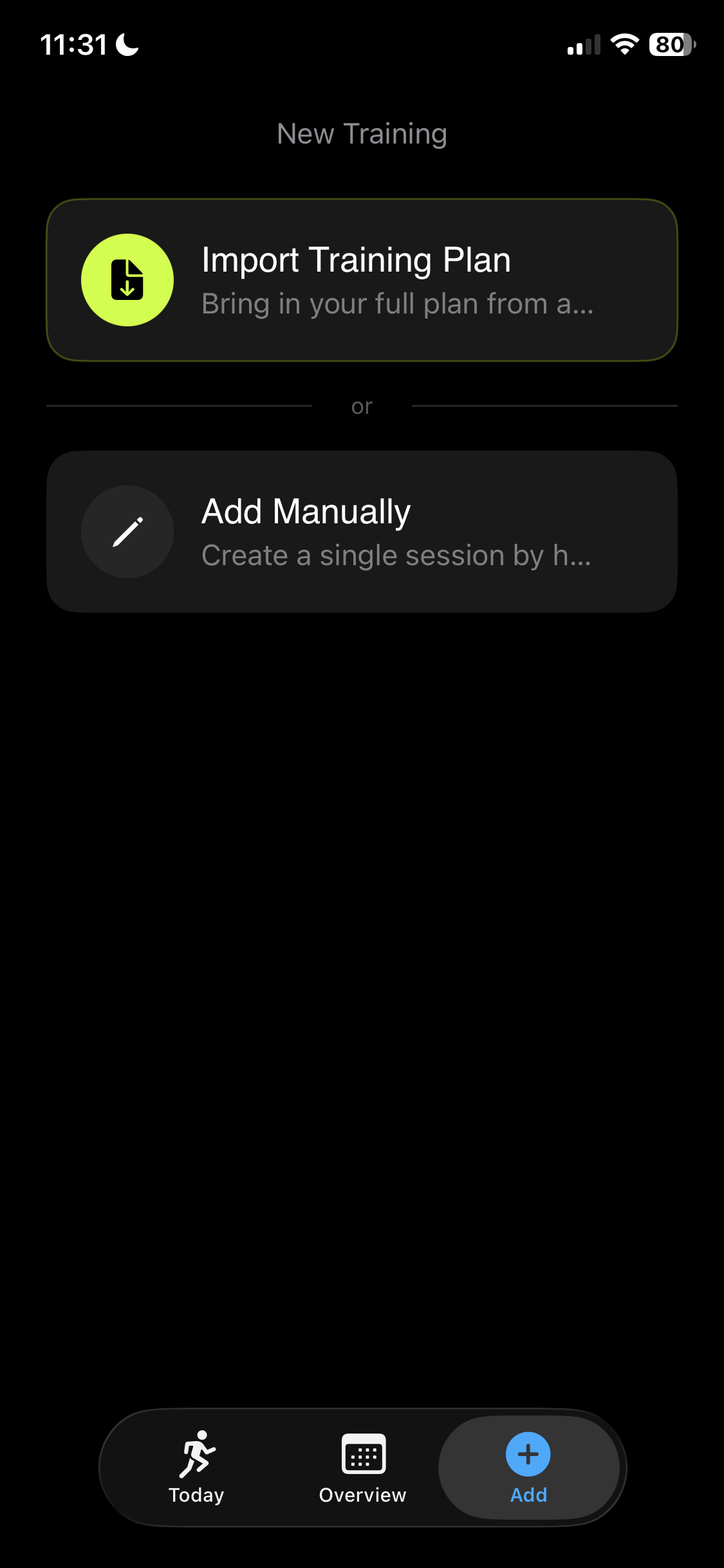
Spreadsheet. Excel. Or use AI to convert it with the built-in prompt and import the result. Narun reads your sessions, zones, paces and weeks - and shapes them into the calendar.

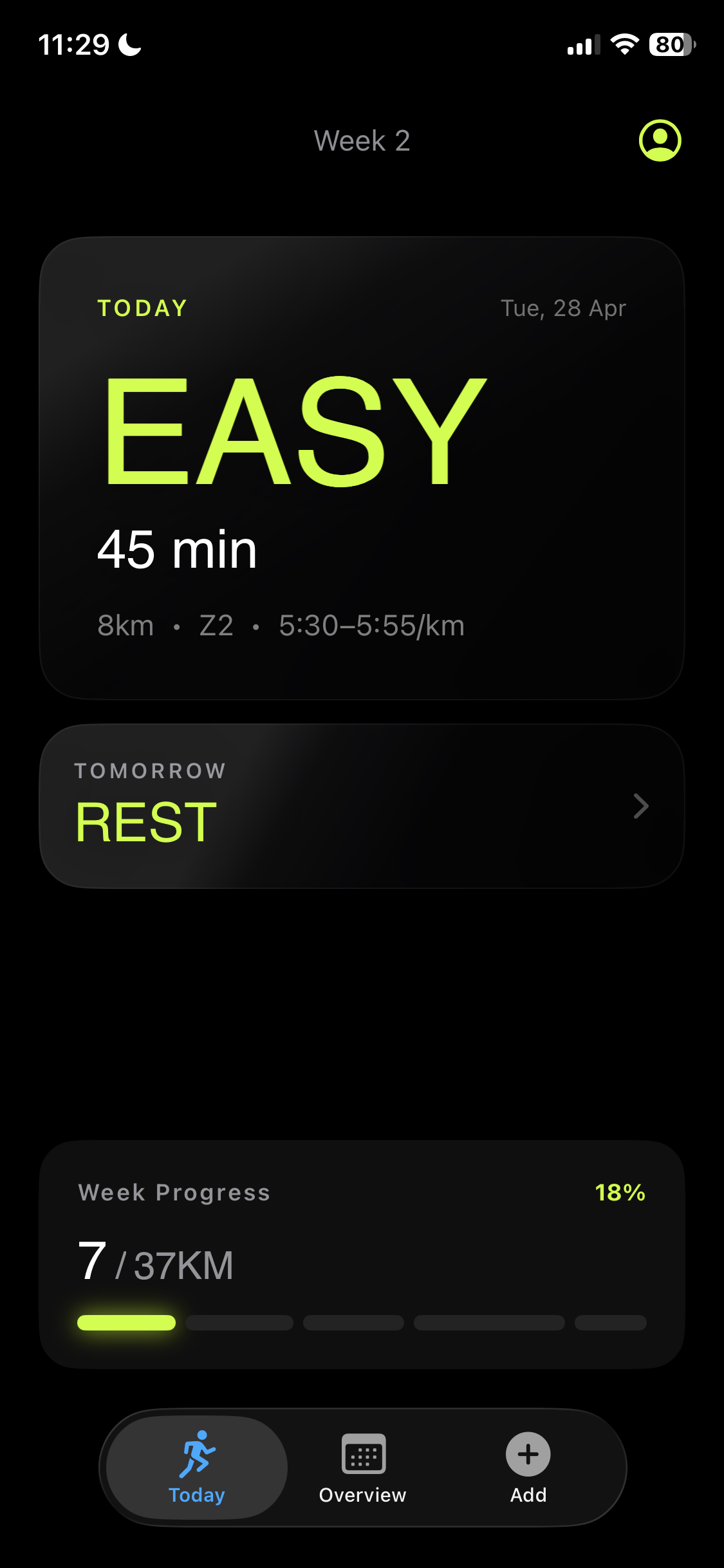
Narun today screen
02 / TODAY

Big type.
Zero friction.

Open the app. Read the word. Go run. Today and tomorrow live front-and-center, with duration, distance, zone and pace target right where you need them - nowhere you don't.

Narun import sheet
03 / OVERVIEW

The whole block, at a glance.

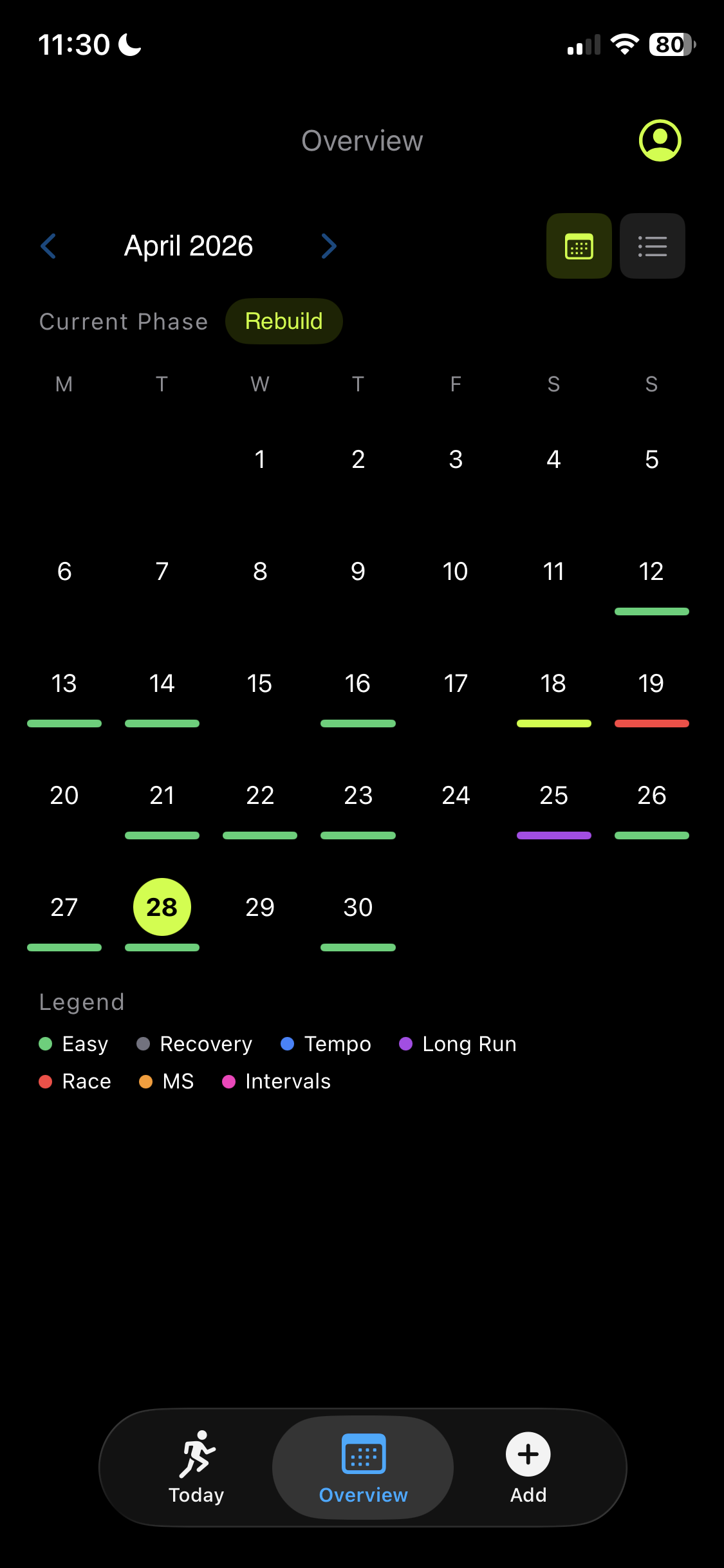
Calendar mode for the bird's-eye view, list mode for the week. Phase-tagged. Color-coded by session type. Tap any day for the full session.

Narun overview calendar
04 / STRAVA + CALENDAR

Synced to Strava
and your Calendar.

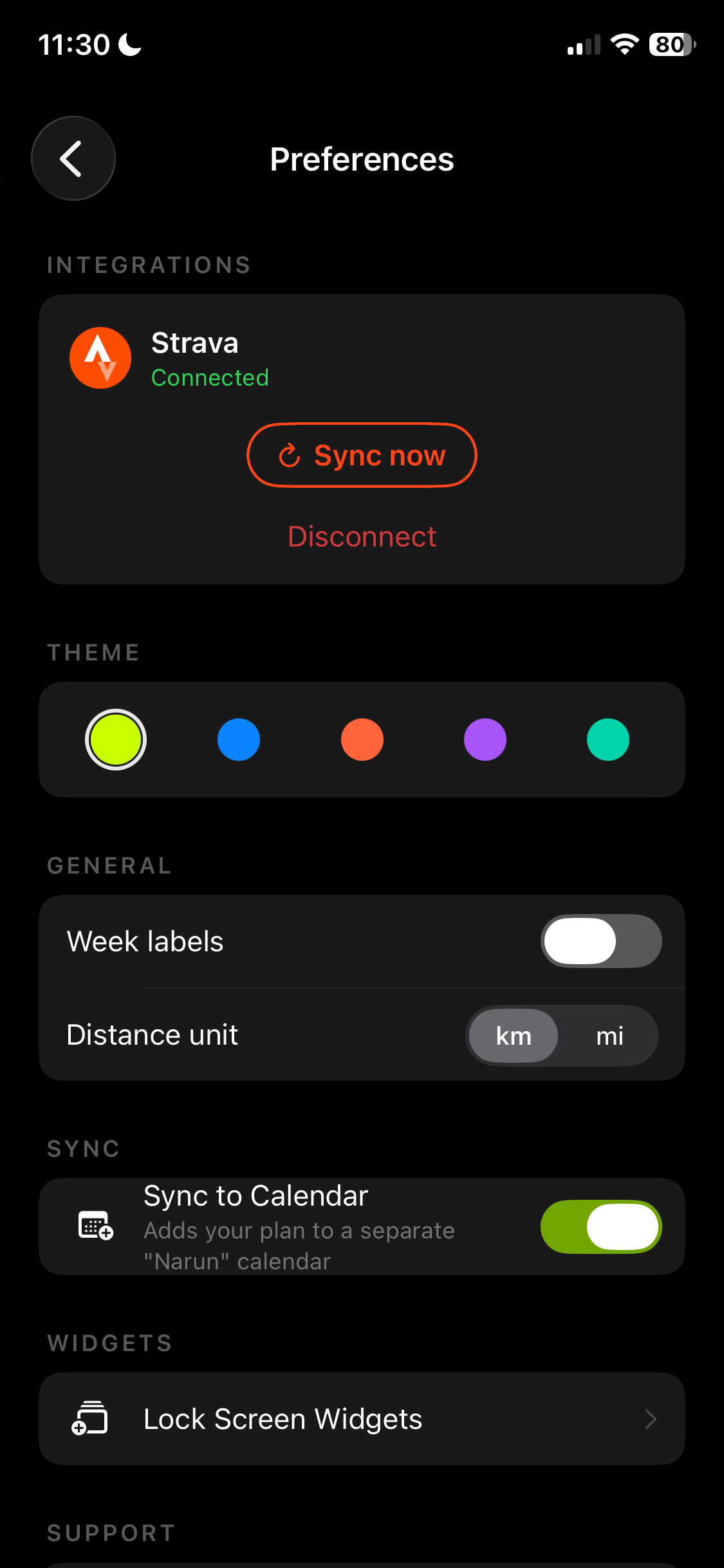
One-tap Strava connect pulls in completed runs and ticks off the plan automatically. Apple Calendar sync drops every session into a dedicated "Narun" calendar so the rest of your life can see what's coming.

Narun preferences with Strava connected
05 / RACES

Every race.
One place.

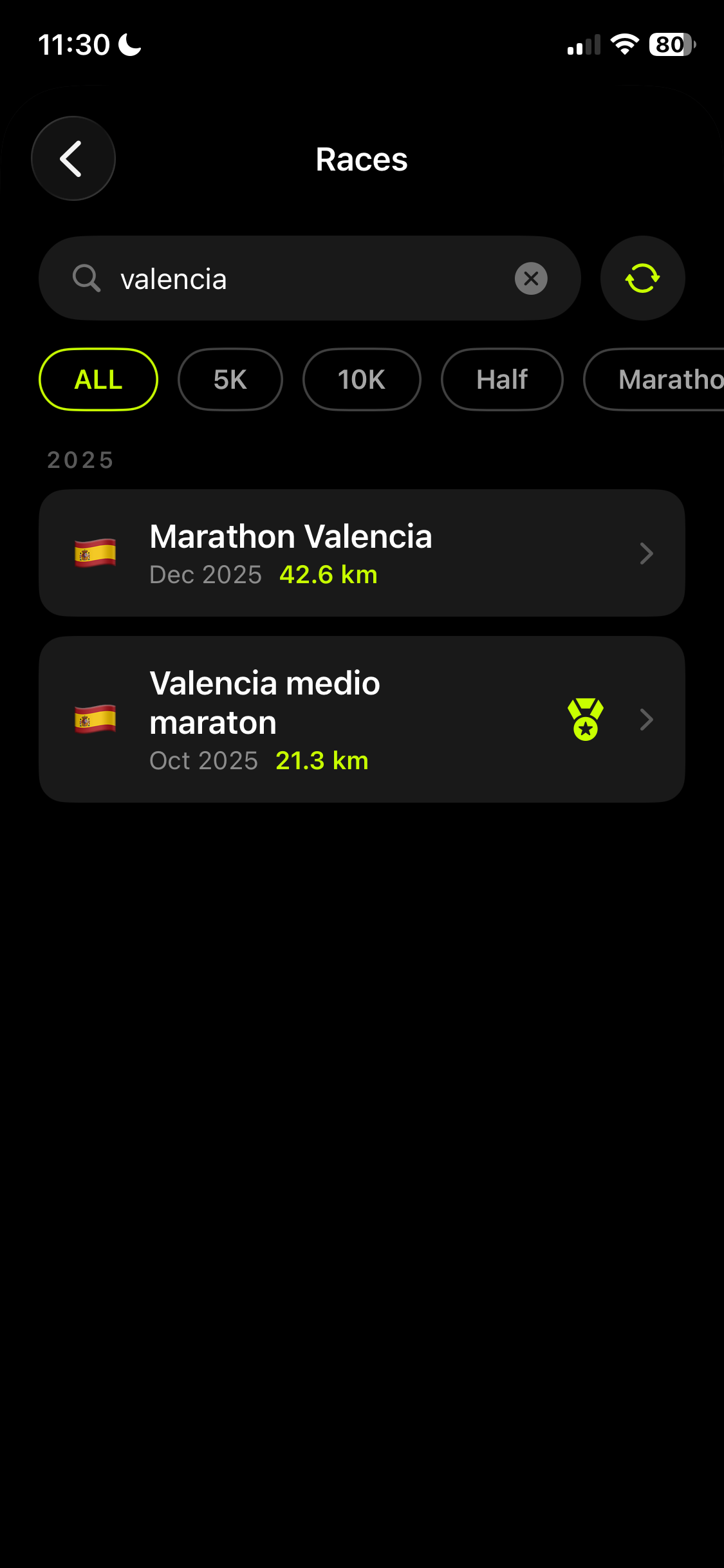
Narun automatically detects your races from Strava and logs them in one clean list. Filter by distance, check your PBs, and jump straight to the full Strava activity in one tap.

Narun races screen
Lock-screen widgets

Today's run.
Without unlocking.

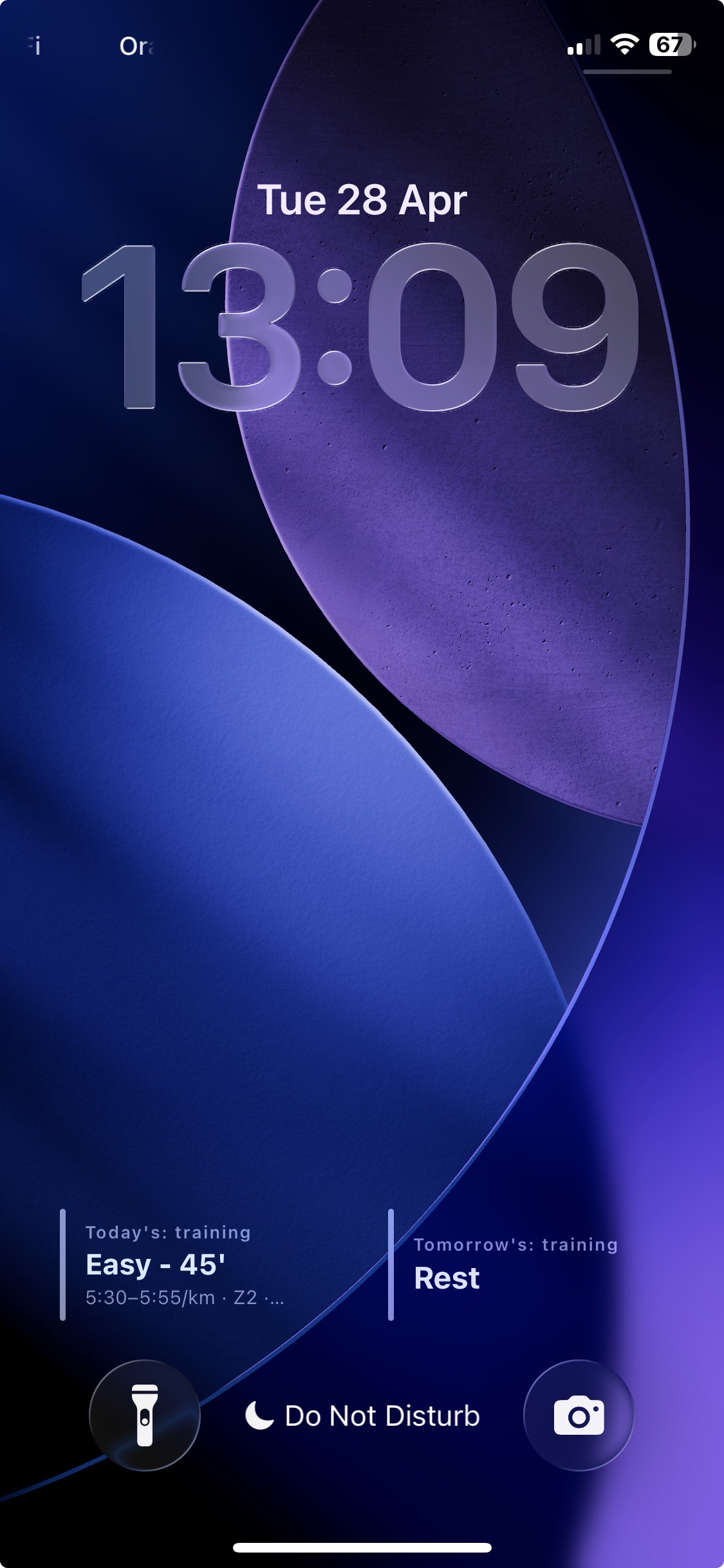
Glance at your lock screen - the next session is already there. Customize exactly which fields it shows: pace, zone, duration, distance, heart rate.

Narun widgets on the iOS lock screen
3 steps

From spreadsheet to running shoes.

01

Install via TestFlight

Install Apple's TestFlight app if you don't have it, then install Narun.

02

Import your plan

Import your spreadsheet. Plan in a different format? Use the built-in AI prompt to convert it into an importable file.

03

Open. Read. Go run.

The next session is already on screen. Connect Strava and Apple Calendar to close the loop.

Why I built it

I made Narun for myself. I had a marathon plan in an Excel sheet, and I was tired of opening it before every run just to remember what I was supposed to do.

So I built the app I wanted to open. Dark, type-first, no clutter. Now it lives on my lock screen - and the more I used it, the more I thought other runners might want it too.

nathandm · solo, in Belgium

FAQ

Things people ask.

Is it free?

Yes. While in TestFlight, Narun is completely free. I'll figure out pricing if and when it ships to the App Store - testers get to keep using it.

Android?

Sorry - iOS only. Narun is built exclusively for iOS. No Android plans right now.

What plan formats are supported?

CSV and Excel (.xlsx). If yours is in another format (PDF, image, coach's notes), paste it into an AI tool using the in-app prompt - it'll spit out an importable file.

Do you store my data?

Plans live on your device. Strava connect uses Strava's official login — Narun only reads the activities you authorize.

How do I report bugs or request features?

Email me at demaegdnathan3@gmail.com, or DM me on LinkedIn. I read everything.

Ready when you
are. Run on.

Free during beta · iOS 17 + · 30 seconds to install

Available on TestFlight